Processing Auto Enrolment
How to Process AE in Thesaurus Payroll Manager – Step-by-Step
1. Receiving AEPN Notifications
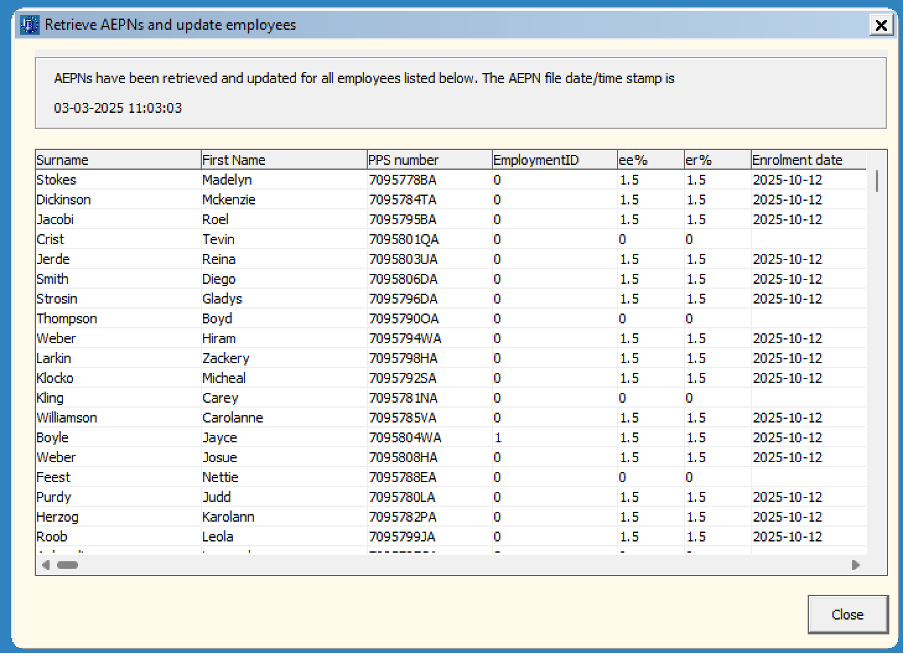
NAERSA will receive information when you retrieve your RPN or in respect of new employees when an employment is registered with Revenue
- Click on Icon 2a
- AEPN's will automatically download
- Close
2. Processing Payroll
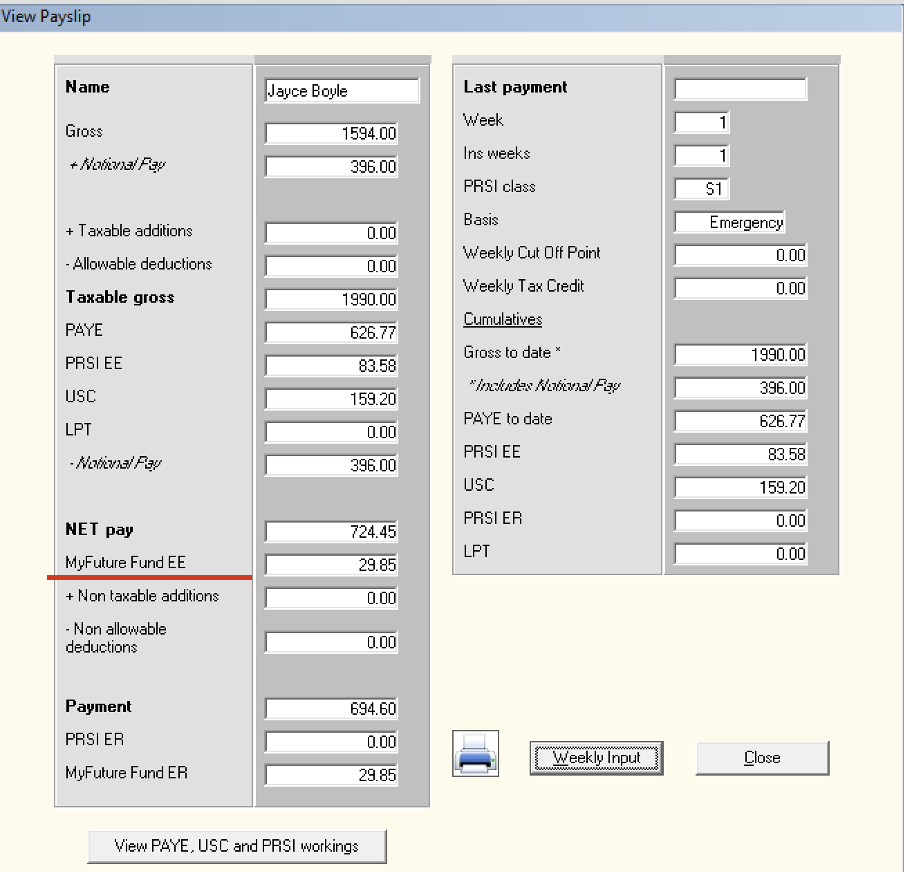
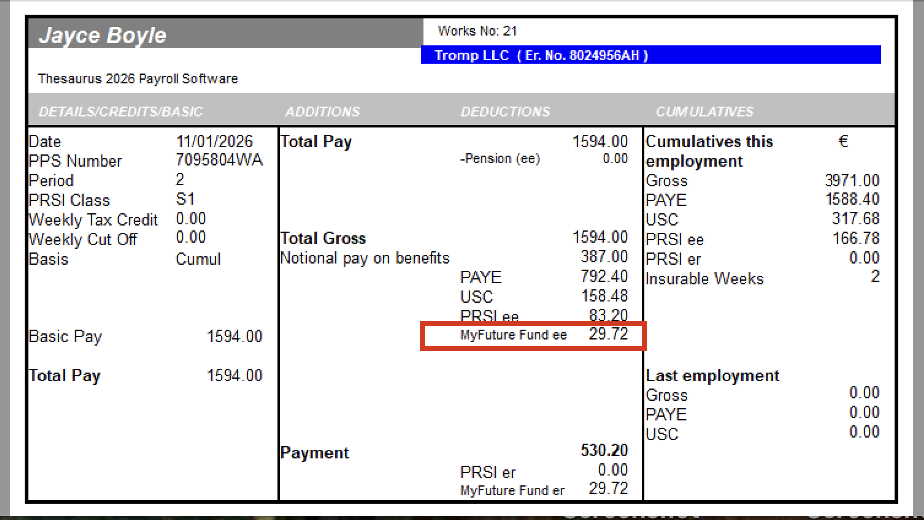
- AE contributions calculate automatically
- Shown on payslips & reports
3. Submitting AECS
- Update the payslips
- AECS is generated alongside PSR Icon 6a
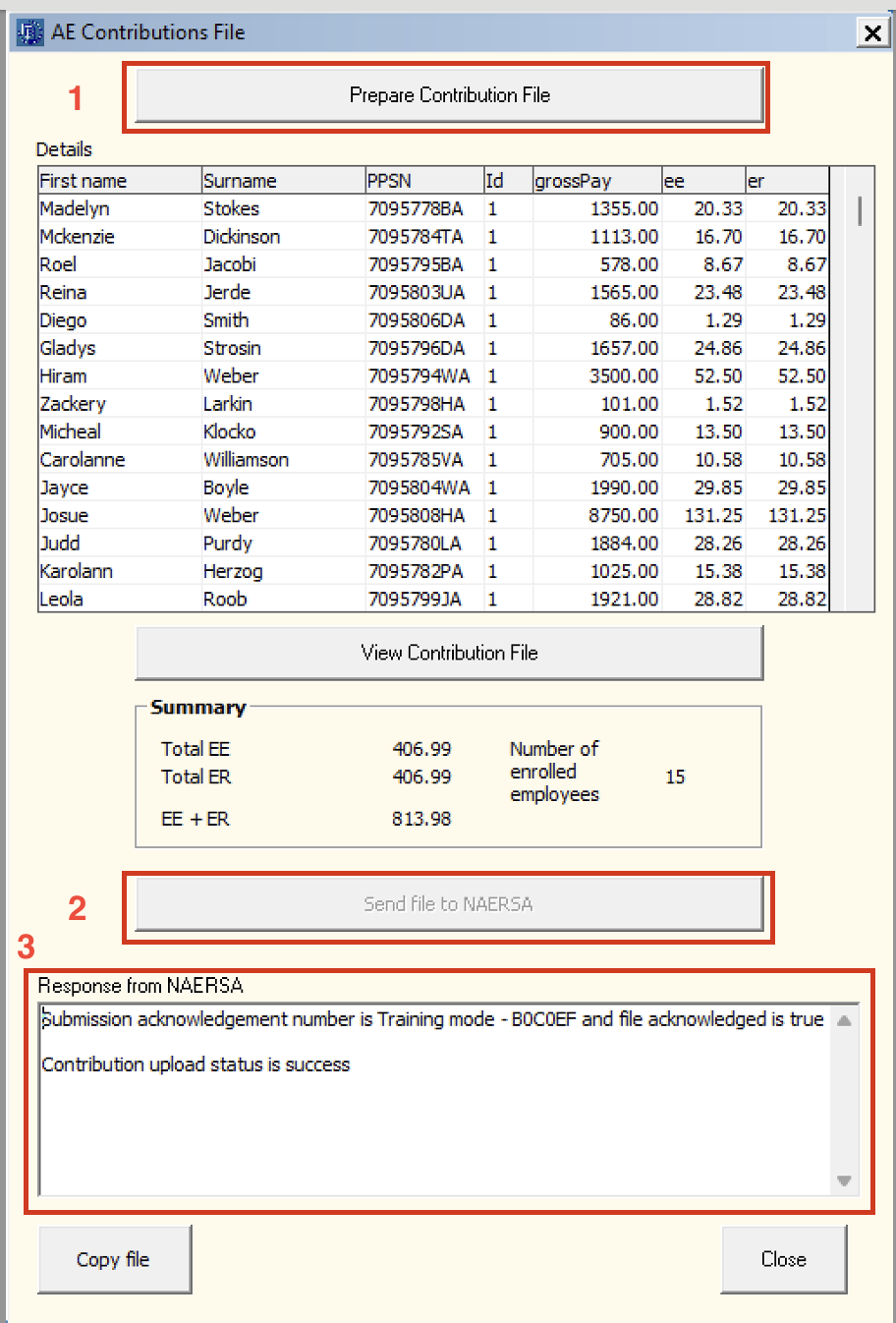
- Click on Prepare Contribution File > Send File to NAERSA > Close before 6.30pm on payday (as corrections are no longer accepted after this time)
4. Employee Letters
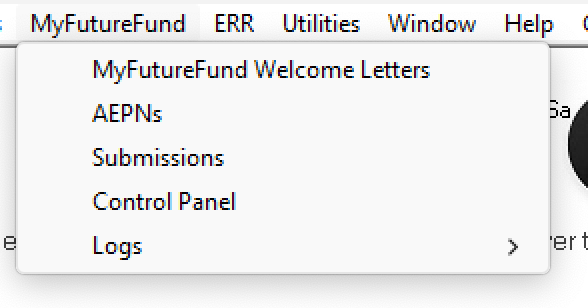
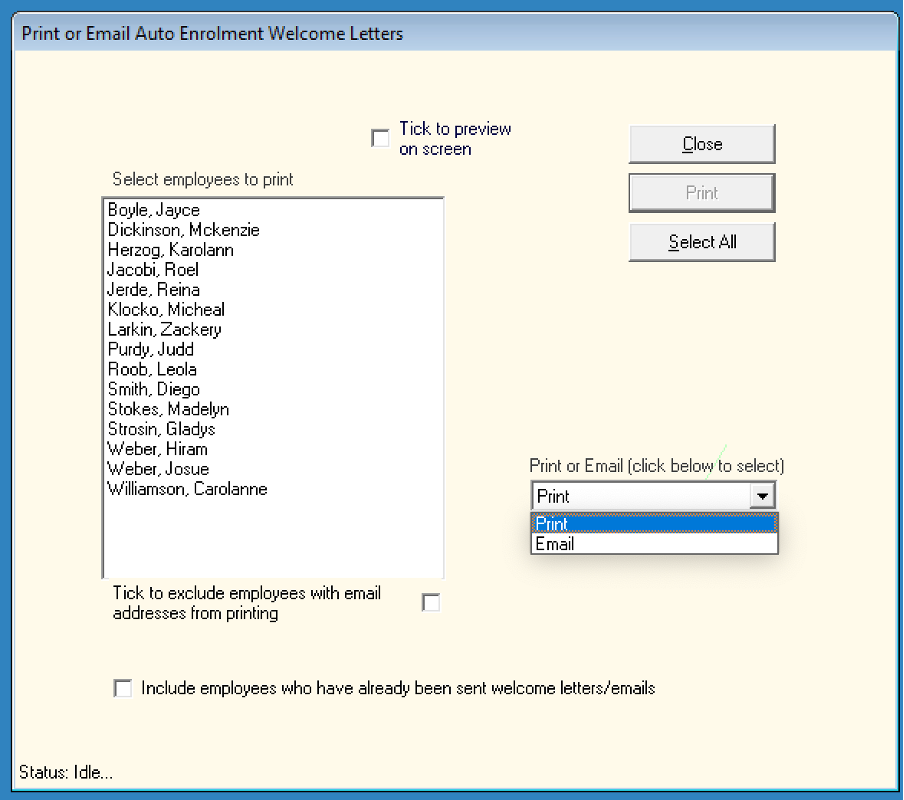
- Go to My Future Fund > My Future Fund Welcome Letters
- Choose Print/ Email Auto Enrolment Letters
5. Records
- AEPN Details are recorded in the employee’s file
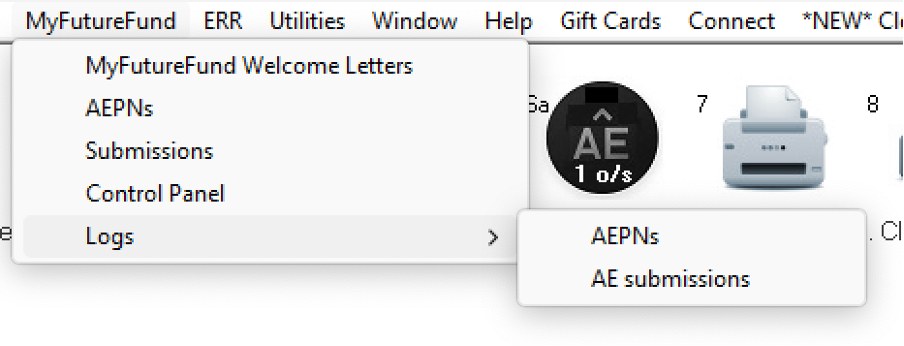
- Go to My Future Fund > Logs > AEPN
Need help? Support is available at 01 8352074 or thesauruspayrollsupport@brightsg.com.
HelpYear End 20242025 Thesaurus Payroll Manager - System RequirementsSigning into Connect for 20252025 Budget - Employer Summary2025 Payroll Manager - AvailabilityStarting the New Tax YearImporting from the previous yearMoving to Thesaurus Payroll Manager from another softwareGetting started - First Time UsersCompany SetupDigital CertificatesAdd/ Amend EmployeesRevenue Payroll Notifications (RPNs)Payroll CalendarProcessing PayrollPayroll DeductionsPayroll Submission Requests (PSRs)Distributing PayslipsPaying EmployeesCorrectionsRevenue PaymentsRevenue - Contact Telephone NumbersReportsProcessing StartersProcessing LeaversBenefit in KindStatutory Sick Pay (SSP)Illness BenefitParenting BenefitsPensionsChanging an Employee's Pay FrequencyPayroll JournalsBackup and RestoreTransferring Payroll Manager from one PC to anotherCSOHolidaysLeave EntitlementsEmployment LawGeneralGlossary of Terms (Pre 2019)Thesaurus ConnectGDPRLicence Agreement for Thesaurus Payroll ManagerBright IDEnhanced Reporting Requirements (ERR)Issue Activating Licence KeyAuto-Enrolment – MyFuture Fund






